Unified GPU Capacity With Built-In Cost Discipline
Traditional cloud options like AWS or GCP are either sold out or eye‑wateringly expensive for GPUs. Our aggregator taps into GPUs owned by users and independent data centers worldwide, so teams always find capacity at up to 50% less than hyperscaler rates—no juggling waitlists or premium pricing.
Product Snapshot
Why now
- Major clouds (AWS, GCP) are either out of stock or charging premium rates for high-end GPUs.
- Teams jump between different dashboards and manual scripts to get anything done.
- Finance leaders lack a clear view of what each workload costs per hour or per day.
What ships today
- Single workspace that lists marketplace offers with everyday, human-friendly filters.
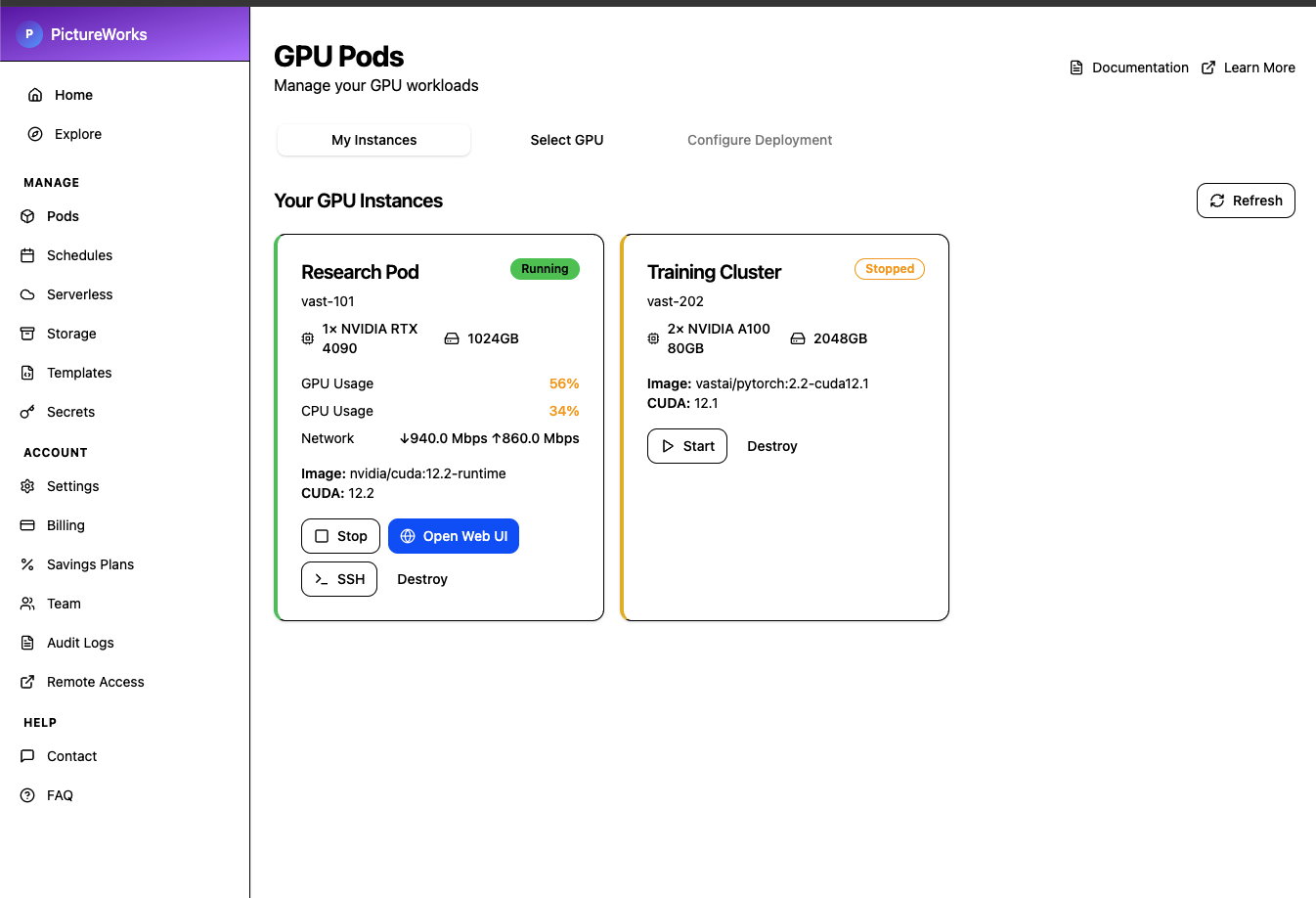
- Three-step GPU Pods flow: browse, configure, and monitor live instances in one tab set.
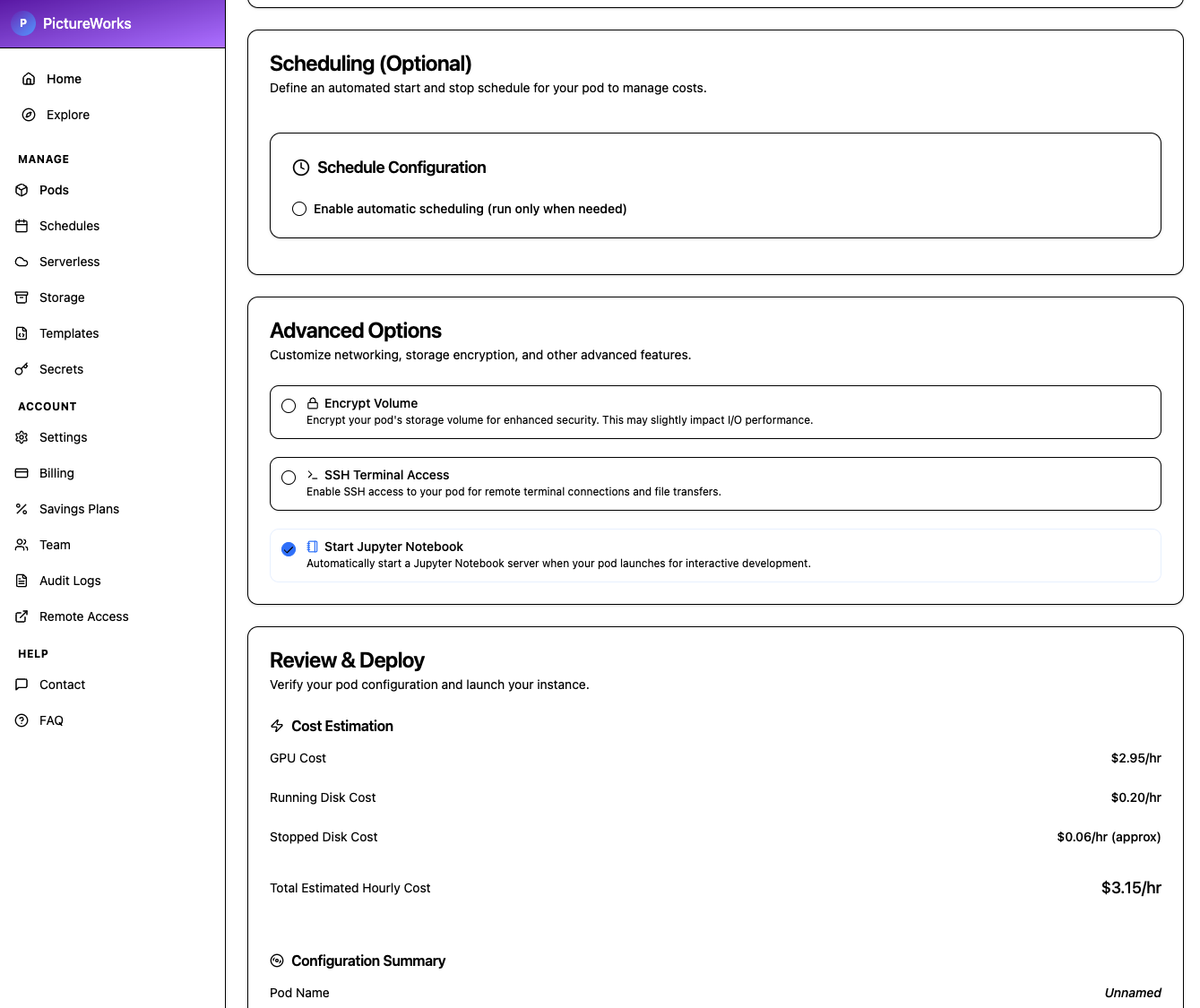
- Deployment checklist with one-click templates (ComfyUI, Jupyter, custom images), scheduling options, and safety switches built in.
- Always-on capacity sourced from a global network of contributors and regional data centers.
Value Pillars
1. Global GPU Supply
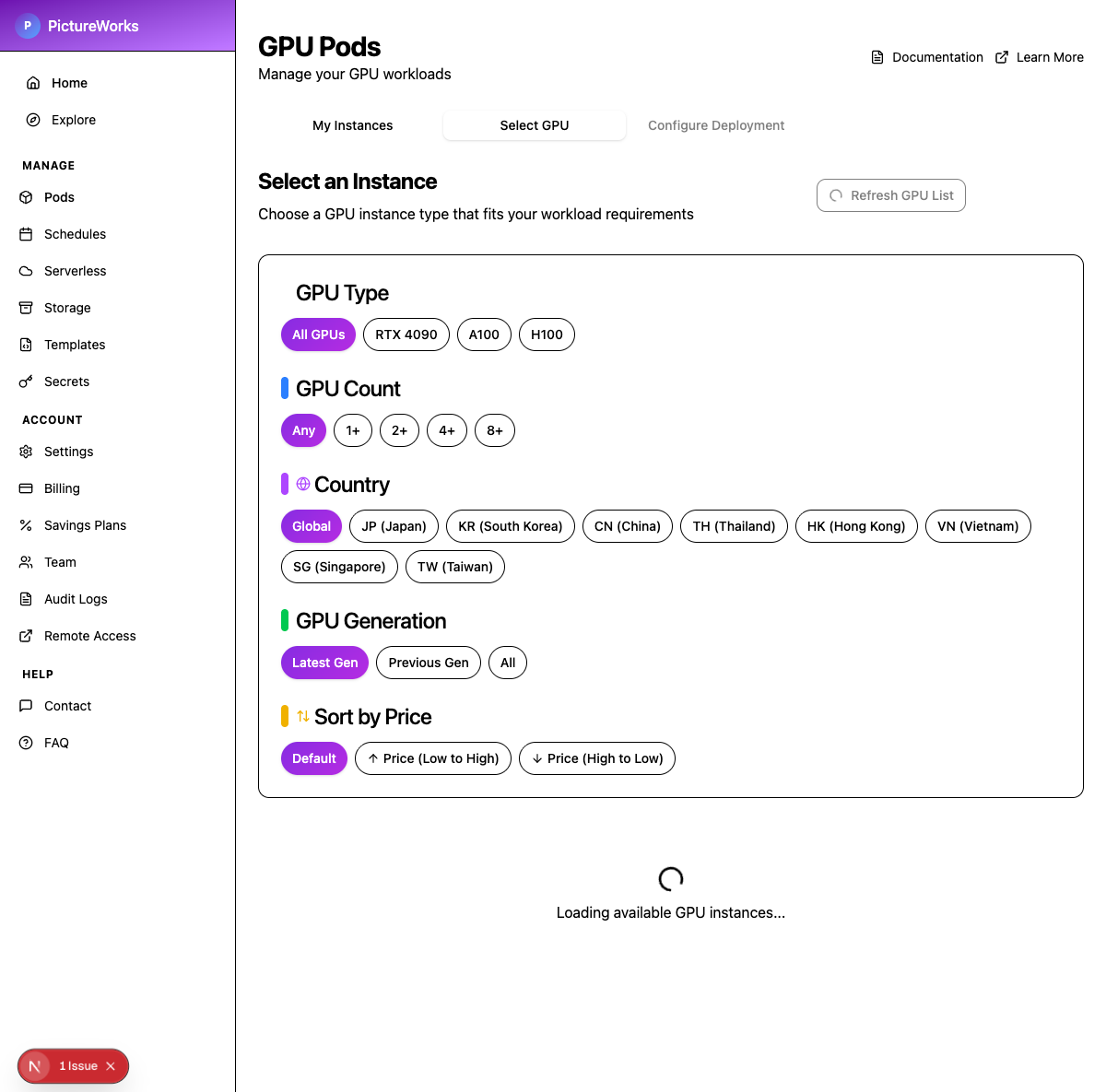
Tap into GPUs hosted by independent operators and data centers across the world—not just the handful of hyperscalers. Search by model (RTX 4090, A100, H100), country, or generation and immediately see live availability.
2. Guided Deployments
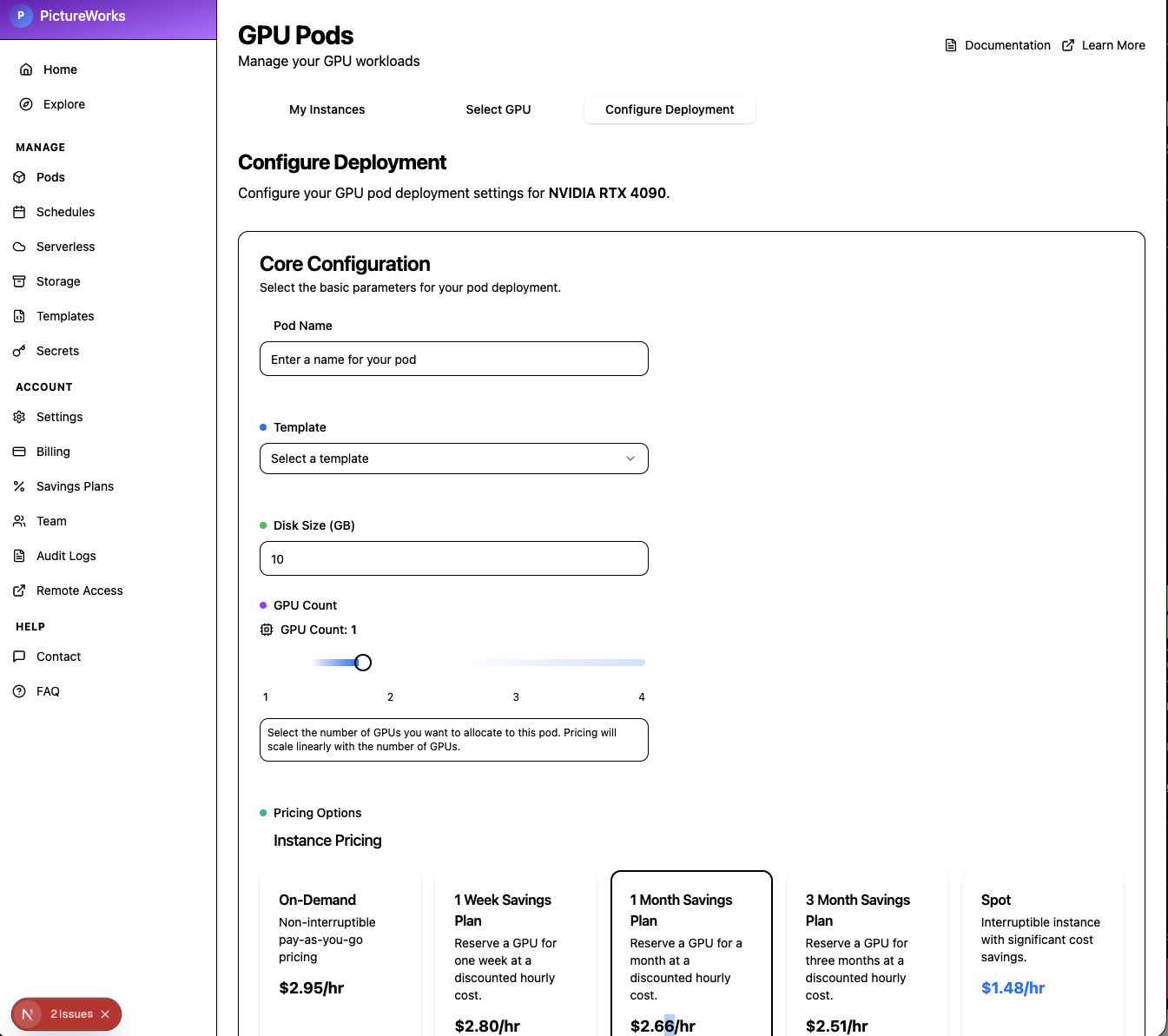
Simple forms cover naming, template selection (ComfyUI, Jupyter, or custom images), storage size, GPU counts, and pricing choices so anyone can launch safely without needing a deep technical background.
3. Pricing Intelligence
Each card shows standard and spot pricing, reliability, memory, and location, making the “up to 50% cheaper than AWS/GCP” savings instantly clear without spreadsheets.
4. Cost Guardrails
Built-in scheduling, spend snapshots, and one-click security options make it easy to shut down idle pods, protect data, and avoid surprises on the monthly bill.
Cost Advantage
- Auto scheduling pauses or shuts down GPUs when they would otherwise sit idle, preventing overnight or weekend burn.
- Decentralized supply pools GPUs from individual owners and regional data centers, making instances available even when AWS or GCP are sold out.
- That same supply is routinely up to 50% cheaper than traditional cloud providers for the exact same class of hardware.
Workflow
1. Browse & compare
Browse live offers from community hosts and regional data centers, filter by performance, memory, or geography, and arrange the list by price to find the right fit.
2. Configure pods
Name the workload, pick a template such as a notebook or ComfyUI image, choose how many GPUs you need, set security toggles, and preview the estimated hourly cost.
3. Schedule & govern
Optional start/stop windows keep pods off at night or on weekends so you only pay when the team is working.
4. Monitor & iterate
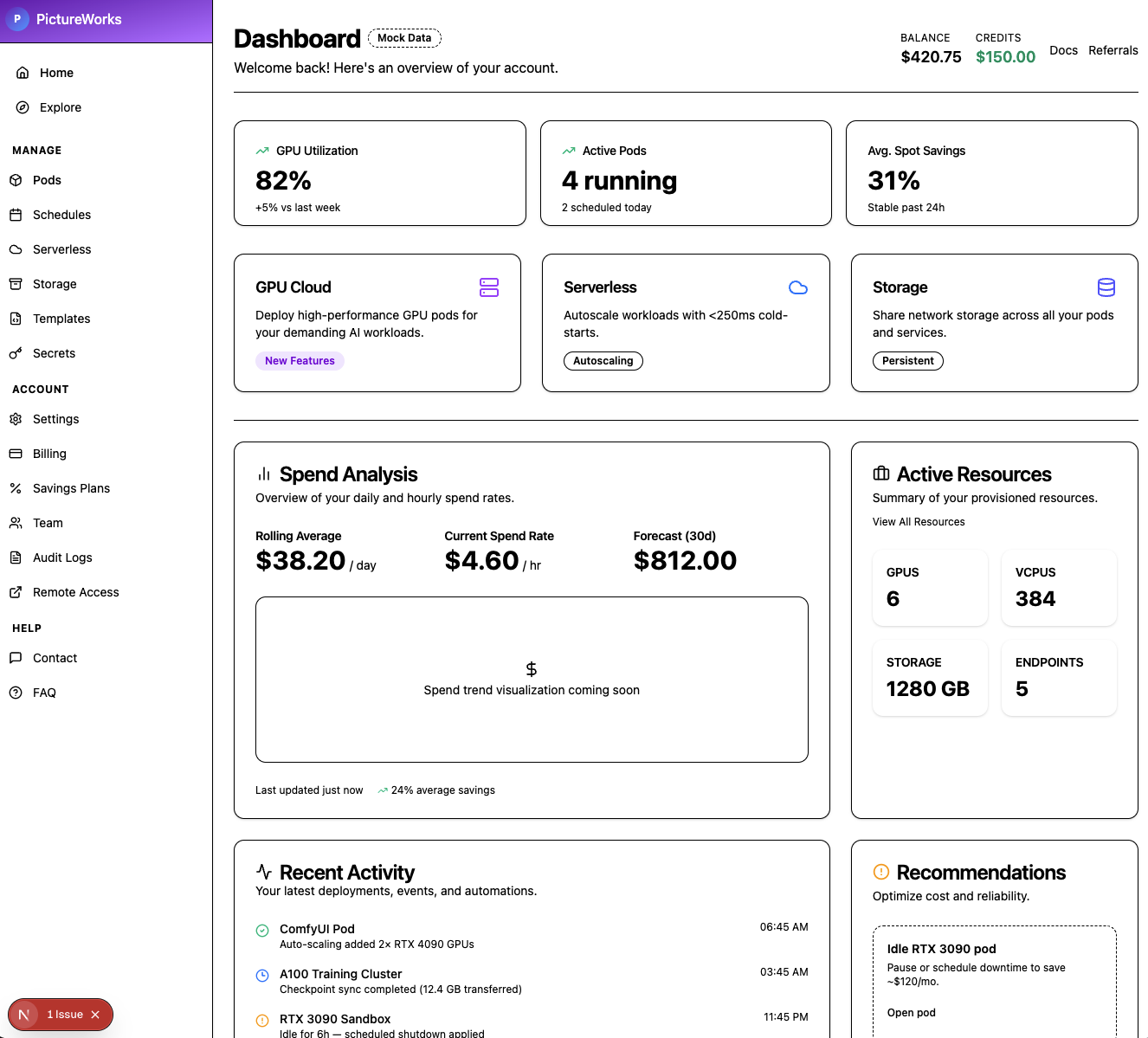
Dashboard widgets highlight balance, daily spend, hourly burn, and active resources so teams can course-correct in real time.
Product Highlights
From the control-room dashboard to one-click templates, every surface focuses on keeping teams productive while squeezing maximum value out of decentralized GPU supply.